
What are Niche pages? Niche pages are community spaces where you can discover and share content focused on the topics you love. These dedicated pages offer posts, media, and live models all centered around the type of content you are looking to find easily.
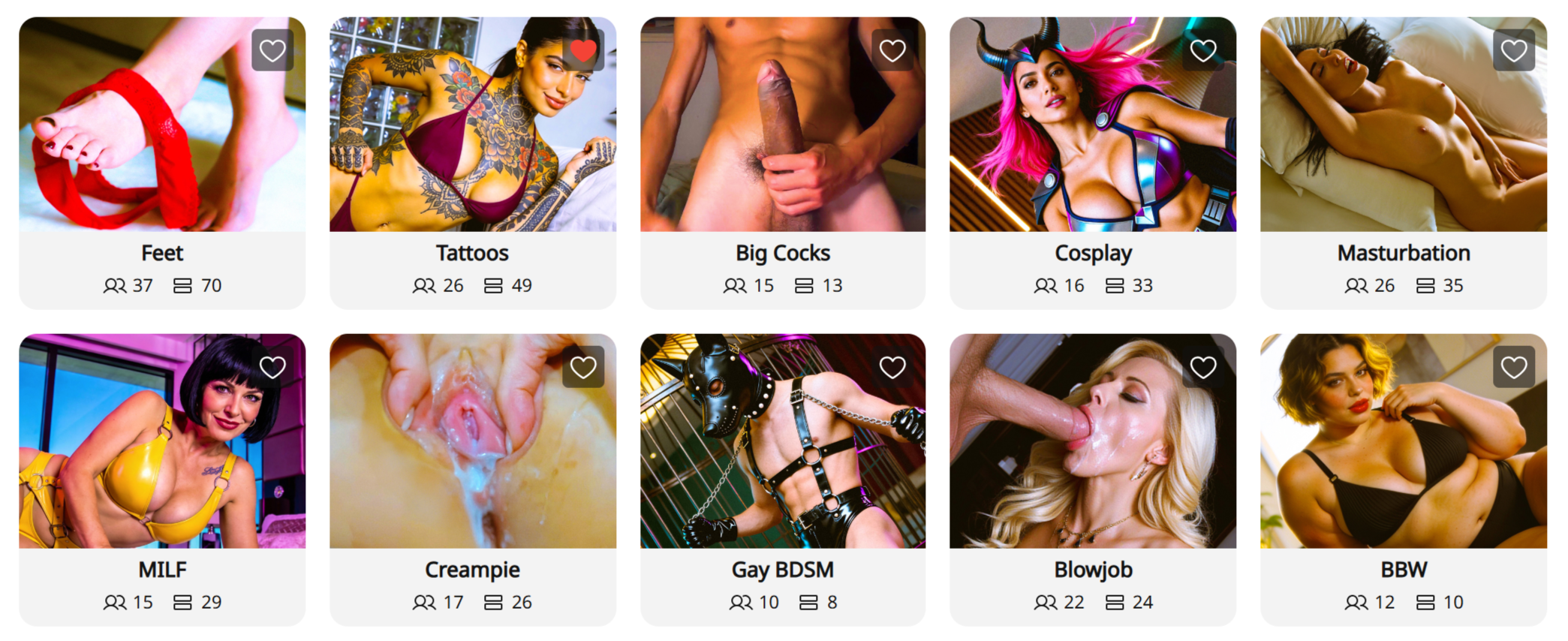
How to discover the kinks you like:
- The Niche Directory: Click the “Niche” tab next to “Model Updates” on the top left corner of your screen.
- Search and Filter: Use the search bar to find specific interests (e.g., “Squirt” or “BDSM”). You can sort Niches by Trending, Most Popular (most members), or Recent Activity.
- Explore the Options: Inside each Niche, you will find three main areas:
- Posts: A feed of the latest updates and photos from various creators.
- Media: A dedicated gallery where you can filter specifically for videos or photos.
- Cams: A “Live Now” directory featuring only cam models who belong to that specific Niche.
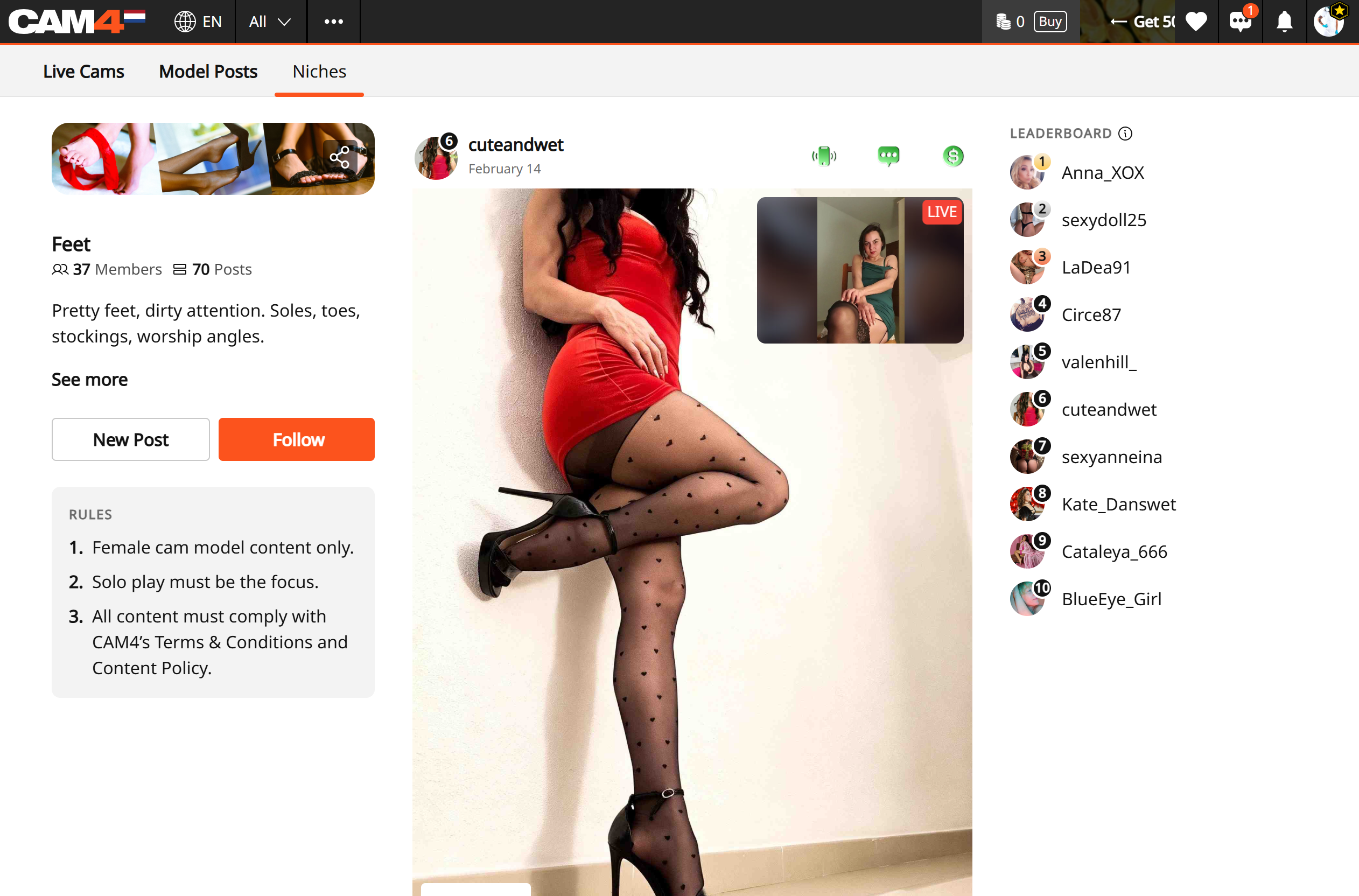
How to Join Your Community:
- Follow a Niche: Click “Follow” on your a Niche you like. You can then use the “Following” filter in the Niche directory to quickly see updates from the communities you’ve joined.
- Connect with Cam Models: Use the Leaderboard on the right side of the Niche page to find the most popular and active creators in that category. Clicking their name takes you directly to their profile.
- Join the Conversation: Like and comment on posts to interact with cam models and other members.
- Instant Access to Live Action: If a model is live, their post will show a live video preview. Simply click the preview to enter their room and start watching immediately.
Jump in and start exploring Niches! Follow a few that spark your curiosity, uncover some tempting new niches, and discover new cam models who are ready to put on a show just for you.
Your next obsession (and your next unforgettable show) could be waiting in a Niche you haven’t tried yet.
Start exploring now: www.cam4.com/niches
Need a Hand? For more details on other CAM4 features, check out our FAQ or ask our chatbot “Spark” found in your inbox.